WhatsApp Message Templates: Ready Examples for Orders, Reminders and Offers
WhatsApp message templates explained: when you need a template message, the three template categories, ready examples for order updates, reminders and offers, and how to get them approved.
Quick answer
A WhatsApp message template is a message WhatsApp approves in advance so a business can write to a customer first, or reply more than 24 hours after the customer's last message. Templates come in three categories, marketing, utility and authentication, and this guide gives ready examples for order updates, reminders and offers.
A customer ordered from your store three days ago and the courier is on the way. You want to tell them on WhatsApp, but they haven't messaged you since the order. With the WhatsApp Business API you can't simply type a message: outside the 24-hour window, WhatsApp only delivers message templates it has approved.
This guide explains what a WhatsApp message template is, when you need one, the three template categories, and then gives you ready template examples for order updates, reminders and offers that you can copy, adjust and submit for approval.
What is a WhatsApp message template?
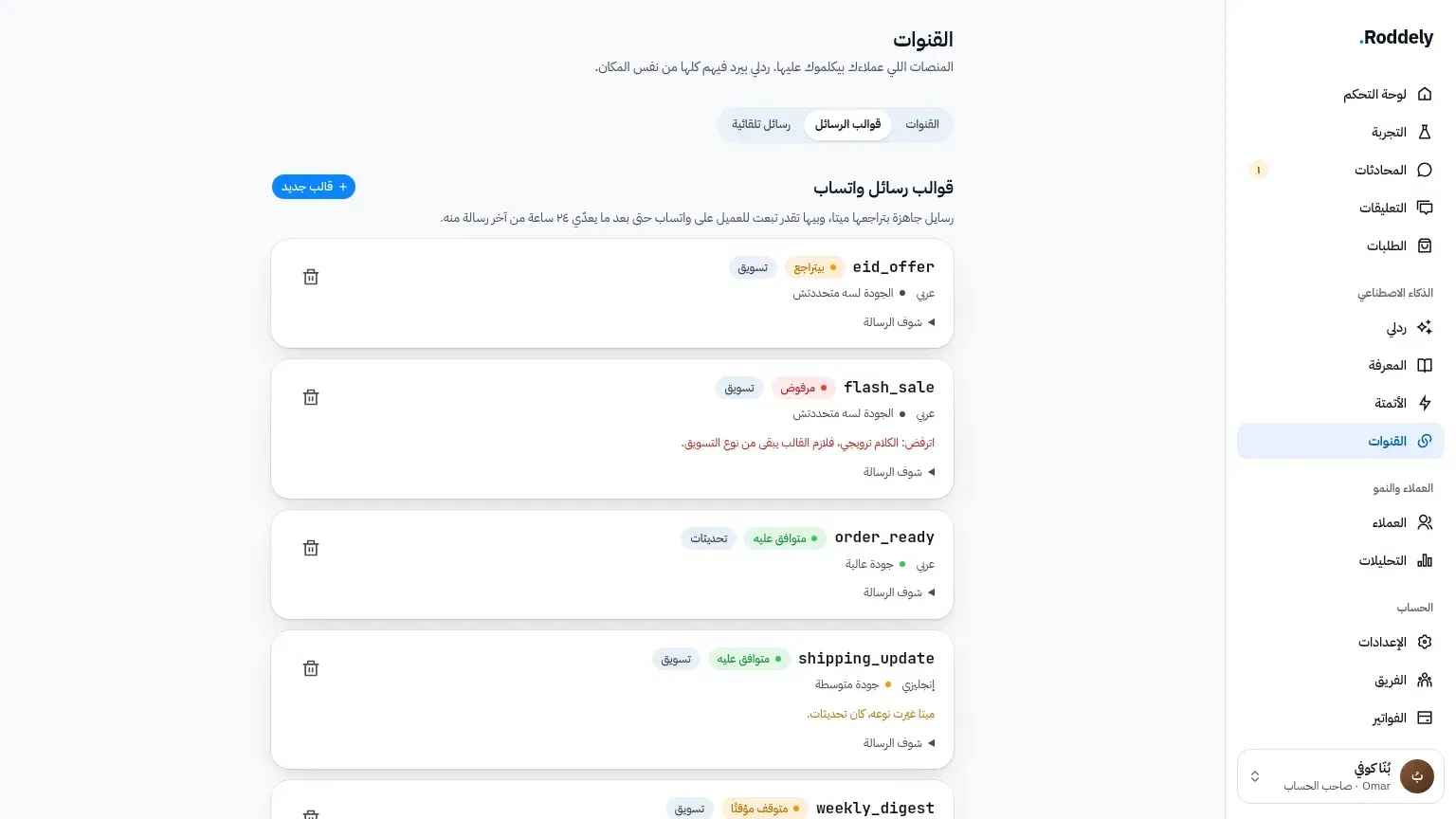
A WhatsApp message template is a message you write once, submit to WhatsApp, and send many times after it is approved. It has fixed text plus variables: the parts that change for each customer, like their name, the order number or the total. In the examples below the variables are in brackets, such as [customer name]. In WhatsApp's template editor each one becomes a numbered placeholder like {{1}} and {{2}}, and you add a sample value for each so the reviewers can read the message the way the customer will.
A template can also carry a header with an image, video or document, a footer line, and buttons: quick replies such as "Confirm" or "Cancel", or a link back to your store.
When do you need a WhatsApp template message?
WhatsApp gives a business a 24-hour customer service window. Every time a customer messages you, a window opens for 24 hours in which you can reply freely, with any text, photo or voice note. Once that window closes, the only way to reach the customer is an approved template.
So you need templates for every message your store sends first:
- Order confirmations and shipping updates sent after the customer's last message.
- Reminders, like a cash on delivery confirmation the customer hasn't answered or a cart they left unpaid.
- Offers, new collections and back in stock alerts.
Inside the window, ordinary replies are enough. That is why a chatbot that answers customers the moment they write rarely needs a template, while order notifications usually do.
What are the WhatsApp template categories?
Every template belongs to one of three categories, and WhatsApp checks that the content matches the category you chose:
- Utility: messages about something the customer already did, like an order confirmation, a shipping update or a payment receipt. They must be specific to that order and contain no promotion.
- Marketing: everything that promotes or persuades: offers, new products, discount codes, abandoned cart reminders and back in stock alerts.
- Authentication: one-time passcodes for logging in or verifying an account. Most stores don't need them.
If a utility template contains promotional wording, WhatsApp may move it to marketing or reject it. Keep order updates strictly about the order.
WhatsApp order update template examples
These are utility templates. Each one is about a specific order the customer placed.
Order confirmation
Hi [customer name], thanks for your order from [store name]! Order [order number]: [items], total [total] EGP cash on delivery. Reply "Confirm" so we can ship it, or tell us if anything needs changing.
Order shipped
Hi [customer name], your order [order number] has shipped with [courier name] 🚚 It should reach you within [delivery time]. Keep your phone close, the courier will call before arriving.
Out for delivery
Hi [customer name], your order [order number] is out for delivery today. The amount to pay the courier is [total] EGP.
Delivered
Hi [customer name], your order [order number] has been delivered ✅ Thanks for shopping with [store name]. If anything isn't right, reply here and we'll sort it out.
For more wording for every stage of a cash on delivery order, see the order confirmation message templates.
WhatsApp reminder template examples
Order waiting for confirmation (utility)
Hi [customer name], your order [order number] is still waiting for your confirmation so we can ship it. Reply "Confirm", or tell us if you'd like a change.
Unfinished payment (marketing)
Hi [customer name] 👋 The [product name] you picked is still waiting in your cart. You can finish your order here: [checkout link]
Back in stock (marketing)
Good news, [customer name]! [product name] in [size or colour] is back in stock. Reply "Order" and we'll reserve one for you.
WhatsApp marketing message template examples
New collection
Hi [customer name] ✨ Our new [collection name] collection is live at [store name]. Reply "Catalog" and we'll send you the latest styles.
Limited offer
[customer name], this week only: [discount] off [category] until [end date]. Use the code [discount code] at checkout, or reply here and we'll take your order.
Thank you and next order
Thanks for your last order, [customer name] 🌷 Here's [discount] off your next one with the code [discount code], valid until [end date].
Every marketing template should give the customer an easy way to stop receiving offers, such as replying "Stop", and you should respect it.
How do you get a WhatsApp template approved?
Most rejections come from a few avoidable mistakes:
- Pick the right category. An order update with an offer at the end is marketing, not utility.
- Give clear sample values. Fill each variable with a realistic example, like a real looking order number, so reviewers understand the message.
- Don't start or end with a variable. Put fixed text before the first placeholder and after the last one.
- Keep variables in order. Number them
{{1}},{{2}},{{3}}with none skipped, and don't place two directly next to each other. - Be specific and polite. Vague, threatening or misleading wording is rejected, and so are templates that ask for card numbers or passwords.
- Write in the customer's language. Submit the template in the language you will actually send it in, Arabic or English.
Approval usually takes minutes to a few hours. If a template is rejected, read the reason, fix that one thing and submit it again under a new name.
How Roddely sends WhatsApp templates for your store
With Roddely, your approved templates sit next to your conversations, and the sending is automatic:
- Order updates: when a Shopify or WooCommerce order changes status, Roddely tells the customer on WhatsApp. Inside the 24-hour window it sends a normal message, and after it, the order template you chose.
- Cash on delivery confirmation: every new COD order gets a WhatsApp order confirmation with buttons, and Roddely records the answer on the order.
- Unfinished payment reminders: a customer who doesn't finish paying gets one reminder from a marketing template you pick.
- One customer, one template: when a customer's window has closed, you can send them an approved template straight from the inbox.
And when the customer replies, the window opens again, and Roddely answers them in Egyptian Arabic or English from your products, prices and policies. Your first month is free, no card needed, and after that you pay the monthly Starter plan. Start your free trial, or read more about the WhatsApp API and its pricing.
Frequently asked questions about WhatsApp message templates
Do I need a template to reply to a customer on WhatsApp?
No. When the customer messages you, you have 24 hours to reply freely with any message. You need a template only to message a customer first, or after those 24 hours have passed.
Can I use message templates in the WhatsApp Business app?
The WhatsApp Business app has quick replies and greeting messages, but approved templates belong to the WhatsApp Business API. To send templates, your number needs to be connected to the API, which Roddely does from the dashboard with no developer.
How long does WhatsApp template approval take?
Usually from a few minutes to a few hours. A template stays pending while it is reviewed, and you can't send it until it is approved.
Is an order confirmation a marketing or a utility template?
Utility, as long as it only talks about the customer's order. If you add an offer or a discount to it, WhatsApp treats it as marketing.